REVIEW · REYKJAVIK
Rent Unlimited High Speed pocket Wifi in Iceland
Book on Viator →Operated by Trawire - Rent WiFi Hotspot in Iceland · Bookable on Viator
A pocket WiFi trip in Iceland? It makes everything easier. This rental gives you unlimited 4G data in a small hotspot you can carry around, so you can look up bus times, check routes, and share plans without juggling SIM cards. The big win for me is that it’s built for groups: you can connect up to 10 devices at once, using your own phones and laptops without changing what’s already in them.
I also like the down-to-earth simplicity of the plan: grab the modem at Keflavík International Airport using a mobile ticket, then return it the same place at the end. One drawback to keep in mind is that pickup can feel confusing if the person helping you doesn’t recognize the voucher details right away, so it helps to be ready with your confirmation info and follow the instructions closely.
In This Review
- Key things you’ll care about
- Why this pocket WiFi rental matters in Iceland
- How unlimited 4G works for your devices
- Keflavík pickup and return: the part that decides your stress level
- Where you pick up
- What to bring back
- Where the return mailboxes are
- The real value: $67 per group and why it can be a steal
- How long rentals fit real travel plans
- Signal confidence: what to expect day to day
- Local support when things go sideways
- Practical tips so your pickup feels smooth
- Be ready for the counter to ask questions
- Don’t assume the code format
- Pack smart before you fly home
- Who this pocket WiFi rental is best for
- Price and logistics: how to decide quickly
- Should you book this pocket WiFi rental?
- FAQ
- How much does the pocket WiFi rental cost?
- How many devices can connect to the hotspot?
- Does it require changing the SIM card in my phone?
- Is the data unlimited?
- How long can I rent it for?
- Where do I pick up and drop off the device?
- Where do I return the WiFi modem at the airport?
- What do I need to return with the device?
- Do I get confirmation when I book?
- Is the rental device easy to set up?
Key things you’ll care about
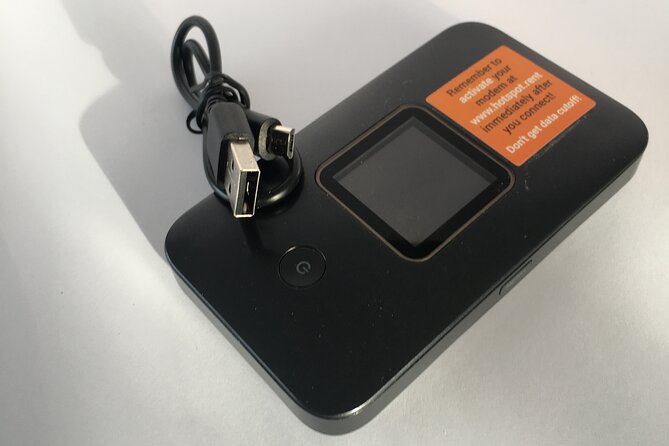
- Unlimited 4G, no SIM swapping: Keep using your existing phone and just connect to the hotspot.
- Up to 10 devices: Great for families or small groups splitting the cost.
- Keflavík airport handoff: Pickup and return are both at the airport, with mailboxes for after-hours convenience.
- Use the orange kit correctly: Bring back the modem and USB cord in the same orange box it arrived in.
- Local help is part of the package: Support is described as nearby if something isn’t working.
Why this pocket WiFi rental matters in Iceland
Iceland is one of those places where the internet is not a luxury—it’s a tool. Between finding trailheads, checking road conditions, using mapping apps, and sorting out day-to-day logistics, having a solid connection can save real time. This pocket WiFi rental is designed for that exact reality: carry the hotspot, connect when you need it, and keep moving.
The other reason this option is smart is how it handles group travel. With up to 10 devices connected at the same time, you avoid the usual “who has the SIM?” problem. It’s a classic Iceland fix: fewer headaches, more time outside.
And yes, it’s also just easier than buying local SIM cards and swapping them into phones. You already have your phone set up. You just attach to a WiFi network from the pocket device.
You can also read our reviews of more tours and experiences in Reykjavik.



How unlimited 4G works for your devices
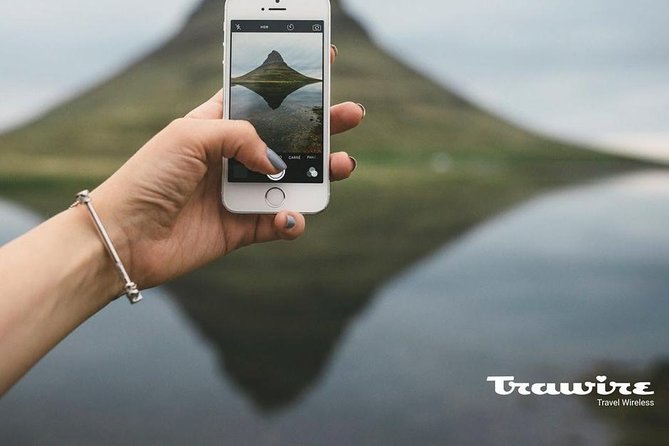
The hotspot provides unlimited 4G data across Iceland, and it’s meant to support multiple connections without changing SIM cards in your current devices. Practically, that means:
- Your phone stays as-is. You connect to the hotspot network like any other WiFi.
- Your laptop can be online too, which matters if you’re working, planning routes, or handling photos.
- Your group can share the same connection, which helps when everyone wants maps at the same time.
A useful point from the way this is described: you’re not limited to one device. Up to 10 laptops or mobile devices can be connected, so this is built for the messy real world—different apps, different needs, different people scrolling.
One thing I’d treat as an expectation (not a guarantee) is that performance depends on the cellular network where you are. The service is marketed as fast and reliable 4G, and people highlight strong coverage, but Iceland’s remote areas can always be trickier than cities.
Keflavík pickup and return: the part that decides your stress level
Everything starts and ends at Keflavík International Airport (address listed as 235 Keflavík). That’s great when you’re arriving with luggage and trying to hit the ground running. No extra transfers. No hunting down a faraway office.
Where you pick up
You start with a mobile ticket. On arrival, you go to the airport pick-up location associated with the service. The most important practical advice here is simple: bring the confirmation details you received at booking time and follow what’s in your voucher.
What to bring back
For the return, the instructions are very specific:
- Pack the modem and USB cord using the same orange box the modem came in.
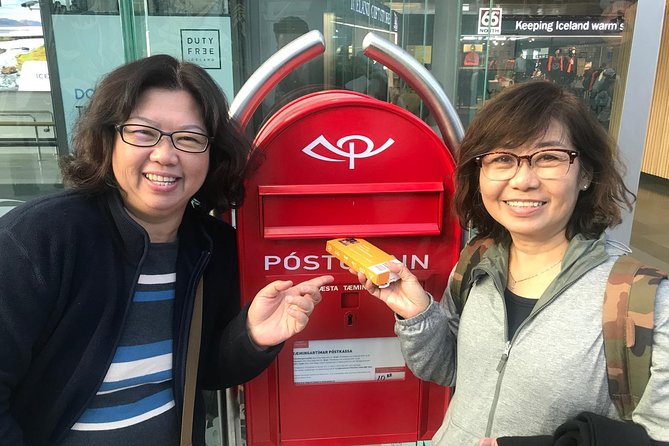
- Deliver it to one of two mailboxes at the airport. They’re pre-stamped.






Where the return mailboxes are
You can drop it in either mailbox:
- In the Departure Hall
- In the main food-hall after security
This setup is genuinely convenient if your flight timing makes it hard to line up a counter return. You don’t need to wait around and you can handle the drop when it fits your schedule.
The real value: $67 per group and why it can be a steal
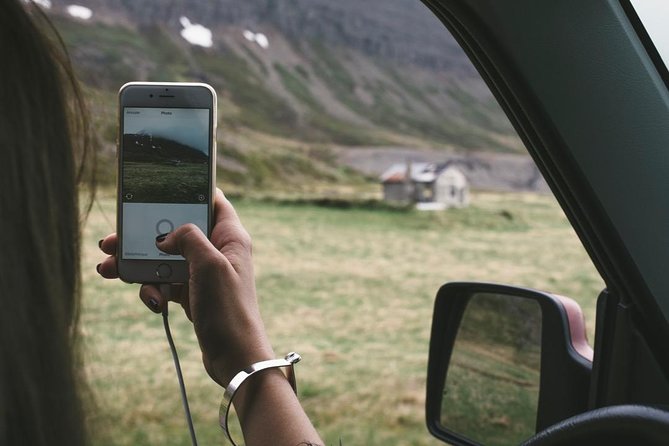
The price is listed as $67.00 per group for up to 10 people. That matters because you’re not paying per person for data. If you’re traveling with even a small group, the math gets friendly quickly.
Here’s how to think about value:
- If you’re two to four people, this can still be a better deal than separate setups.
- If you’re a bigger group, the per-device cost drops fast because the hotspot scales to multiple connections.
- It also removes friction. You avoid SIM swapping, which can be annoying at the airport, especially when you’re tired and juggling bags.
Another value piece is timing flexibility. Rentals run from about 4 to 100 days, so it can cover everything from a short break to a longer Iceland stretch. If you’re doing a longer road trip or staying outside Reykjavik for weeks, keeping the same pocket device is usually less hassle than trying to reconfigure connectivity mid-trip.
How long rentals fit real travel plans
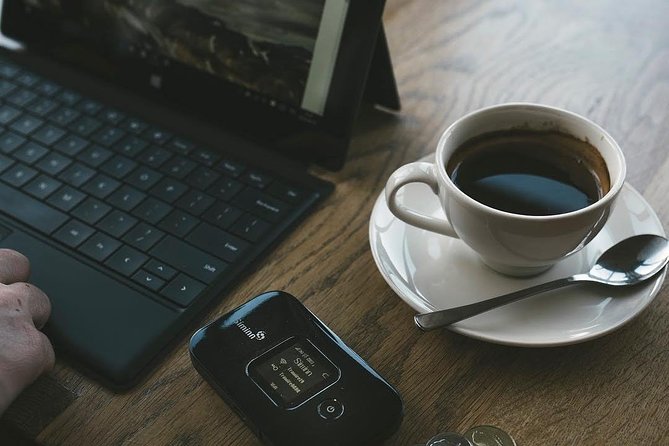
The rental window is wide: 4 to 100 days. That flexibility is good because Iceland plans vary a lot. Some people do a quick loop and fly home fast. Others base out of one area for a while and take day trips.
Also, this is commonly booked about 20 days in advance on average. That suggests people are planning ahead—smart, because Iceland travel can be busy in peak seasons and rentals are easier when you lock them early.
If you’re planning any of the following, this range makes sense:
- Multi-stop itineraries where you’ll be moving often
- Longer stays where you don’t want to think about internet setup again
- Family trips where several people need connectivity at the same time
Signal confidence: what to expect day to day

The service is described as providing signal everywhere you go and customers rate it highly for convenience and speed. In practical terms, that translates into fewer moments where your phone is stuck saying No Internet Connection at the worst time—like when you’re trying to find a parking spot or confirm a route.
Still, I’d use Iceland reality as a guide:
- In towns and along major driving corridors, connectivity tends to be easier.
- If you’re off the grid, any cellular-based service can vary.
The best approach is to treat it as your main internet tool, but keep a basic offline backup for critical stuff. Download maps in advance and save key reservations so you’re covered if your signal dips in remote spots.
Local support when things go sideways
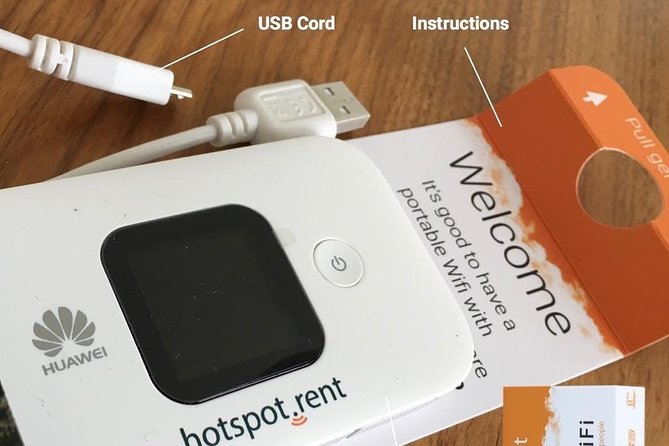
One of the strengths mentioned is local support being nearby. That’s important because pocket WiFi only works well if you can solve small problems fast—like a weak connection, a power issue, or confusion about how to register the device.
Based on the service notes tied to the pick-up process, the best move is to use the contact info included in your voucher if you hit resistance at the airport desk. A recurring theme in the feedback is that airport staff may not always be fully up to date on specific voucher workflows, especially with new staff. Having the right contact details handy turns potential frustration into a quick fix.
Practical tips so your pickup feels smooth
Let’s talk about the pick-up friction that can happen and how you can avoid it.
Be ready for the counter to ask questions
Some people report that staff weren’t sure how to process certain proof-of-purchase details. That doesn’t mean the service is wrong. It means the handoff depends on correct data and staff familiarity.
Your job: show your confirmation and be patient. If something doesn’t click at the first counter, you’ll still have options—like asking for help using the contact info in the voucher.
Don’t assume the code format
One common snag involves the order code used for registering the unit. The issue described is that it’s not a short 4- or 5-digit code; it can be a 10-digit code. When you’re sitting at the airport trying to set up quickly, that extra mismatch can feel like a deal-breaker.
So do this:
- Check the exact code format in your instructions.
- If a field refuses your code length, stop and look again instead of fighting the device.
Pack smart before you fly home
Before you leave Iceland, make returning the hotspot easy:
- Keep the orange box somewhere accessible.
- Don’t toss the USB cord into a random charger bag.
- Do a quick check right before you go to the drop location.
The return drop is supposed to be simple, but only if you actually have the parts.
Who this pocket WiFi rental is best for
This is a strong fit if you:
- Are traveling as a group (the up-to-10 device setup is the point)
- Want reliable navigation and connectivity without SIM swapping
- Prefer airport-based pickup and return
- Have multiple people who need the internet at once
It may be less ideal if you’re traveling completely solo and don’t care about multiple device connections—though for some solo travelers, simplicity still wins.
And if you’re the type who likes to plan every day tightly, the ability to keep all your maps, bookings, and communications in one place is a real benefit.
Price and logistics: how to decide quickly
You’re paying $67 per group up to 10. That’s the headline, but the real decision comes down to three logistics questions:
1) Can your group actually use it at the same time? If yes, this pricing is attractive.
2) Are you comfortable doing the airport pickup and airport return? If you want zero hassle outside the airport, this helps.
3) Will you follow the code and setup instructions carefully? If you’re organized, you’ll avoid the most frustrating bits.
One more practical note: this is non-refundable if plans change. So make sure your trip dates are solid before you buy.
Should you book this pocket WiFi rental?
I’d book it if your goal is staying connected in a way that’s easy for a group. The strengths—unlimited 4G, the up-to-10 device limit, and the Keflavík airport pickup/return flow—are exactly what you want when Iceland days are packed and plans change.
Skip it only if you hate any setup steps at the airport, or you’re traveling solo and want the cheapest possible data option. For most people, though, this hits a sweet spot between cost, convenience, and not having to babysit SIM cards.
If you do book, come prepared: read your voucher instructions closely, have your confirmation details ready, and keep the orange box and USB cord together. Do that, and this turns into one of those small purchases that makes the whole trip smoother.
FAQ
How much does the pocket WiFi rental cost?
It’s listed at $67.00 per group (up to 10 people/devices).
How many devices can connect to the hotspot?
Up to 10 laptops or mobile devices can connect.
Does it require changing the SIM card in my phone?
No. The hotspot is designed for use without changing your current SIM card.
Is the data unlimited?
Yes. The rental is described as unlimited 4G data.
How long can I rent it for?
The rental duration is listed as approximately 4 to 100 days.
Where do I pick up and drop off the device?
Pickup and return are at Keflavík International Airport (listed as 235 Keflavík, Iceland).
Where do I return the WiFi modem at the airport?
Return it in one of two pre-stamped mailboxes: one in the Departure Hall and one in the main food-hall after security.
What do I need to return with the device?
You should pack the modem and USB cord, using the same orange box the modem came in.
Do I get confirmation when I book?
Confirmation is received at the time of booking.
Is the rental device easy to set up?
It’s described as easy to use, but you may need to register the unit using the order code shown in your materials (a 10-digit code is mentioned). If you run into trouble, contact info is included in your voucher.